Connect to muchdoo
Paste your muchdoo API key so Claudioo can read your tickets, timesheets, and project data.
Claudioo connects directly to muchdoo to read project data, tickets, timesheets, and more. This powers skills like /jf-prepare, /check-timesheets, and /express-project-overview — see Pull project data from muchdoo for the full list.
Before you start
You'll need a muchdoo account with permission to create API keys.
Setup
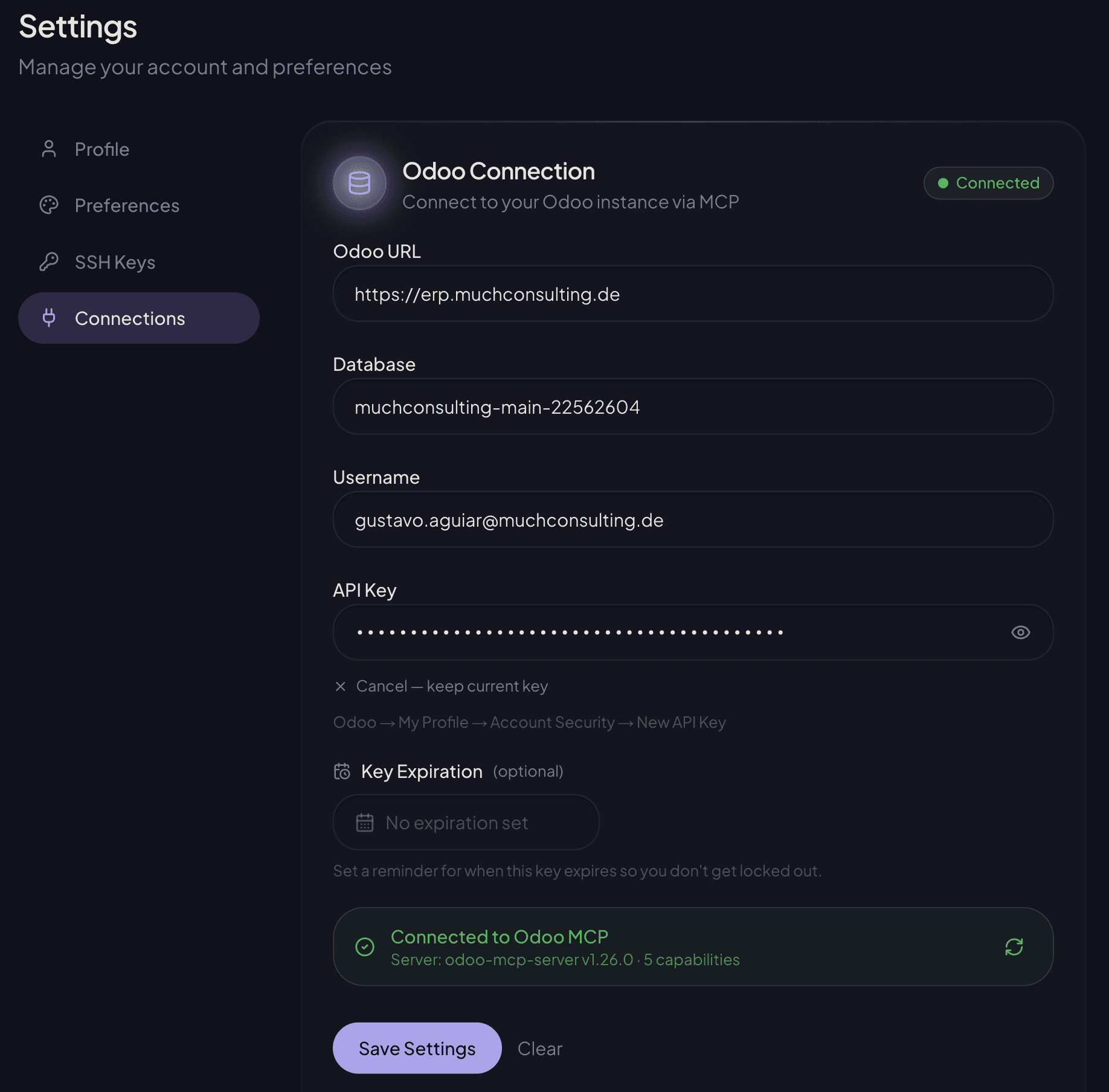
Go to Settings → Connections. The URL, database, and username are pre-filled automatically — you just need to generate an API key from muchdoo.
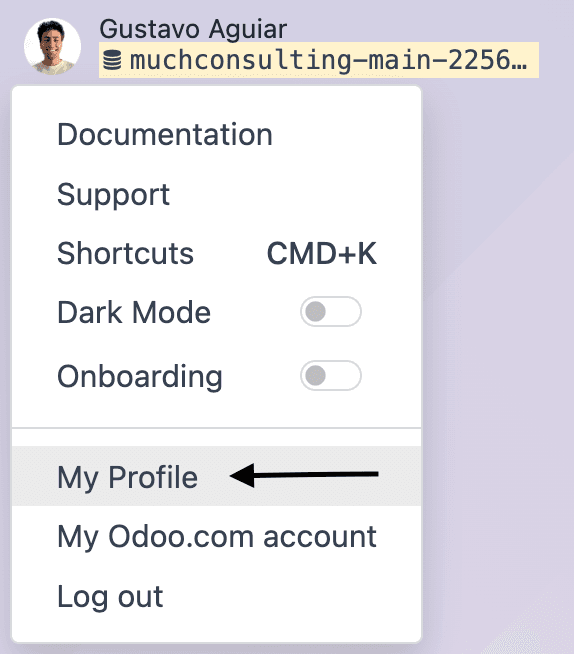
Go to Account Security
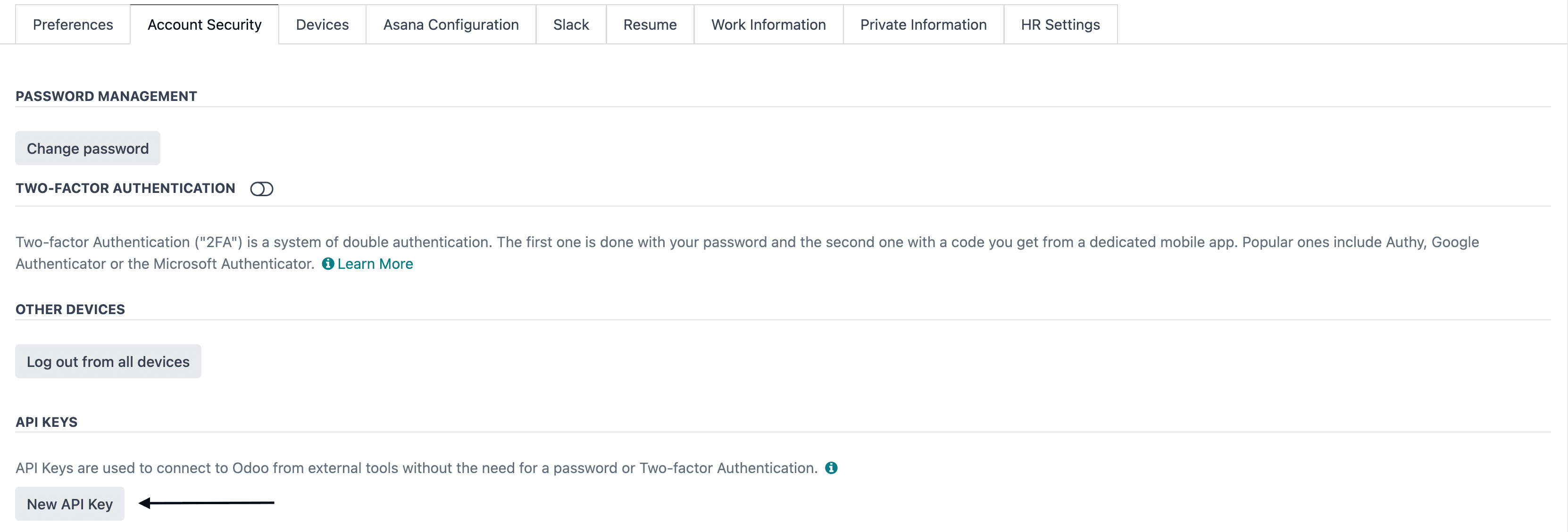
Switch to the Account Security tab and scroll down to the API Keys section. Click New API Key.
Generate the key
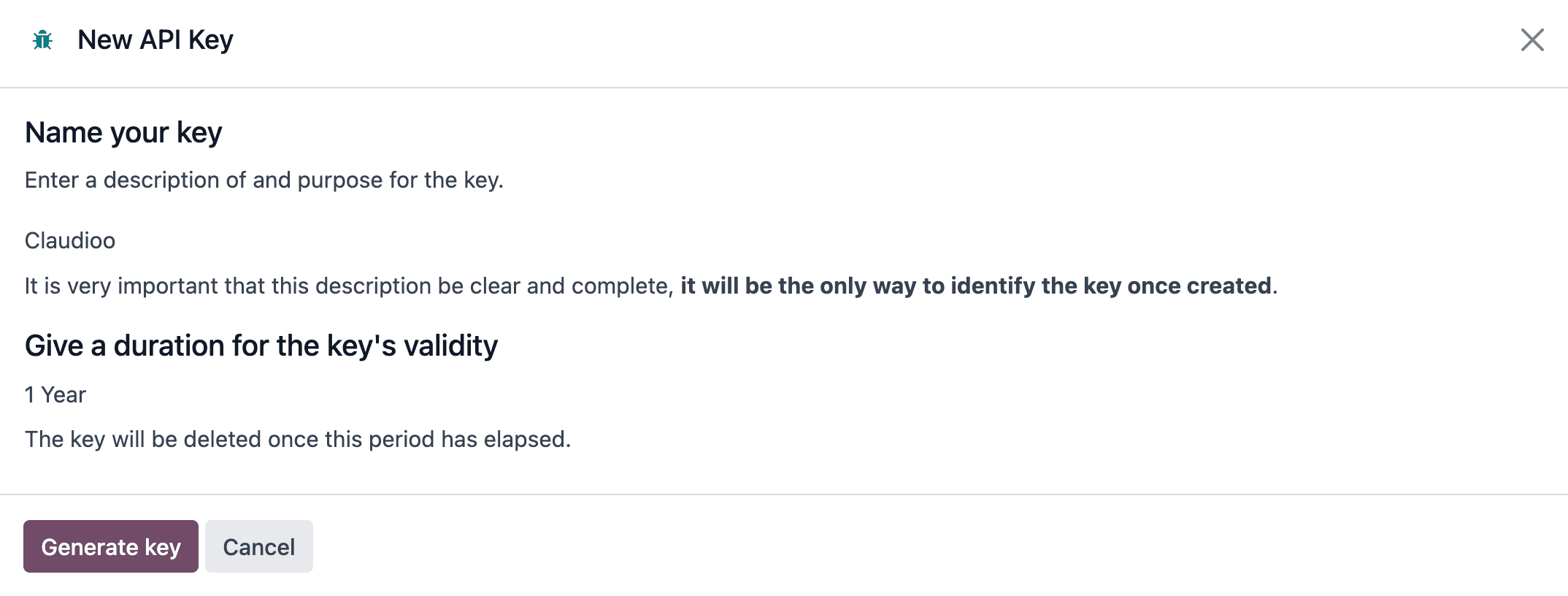
- Name:
Claudioo(or any description you'll recognize) - Duration: 1 Year (recommended)
Click Generate key and copy the key that appears.
Paste in Claudioo
Back in Settings → Connections, paste the API key. Click Test Connection first to verify everything works — you should see a green Connected badge and the connection details.
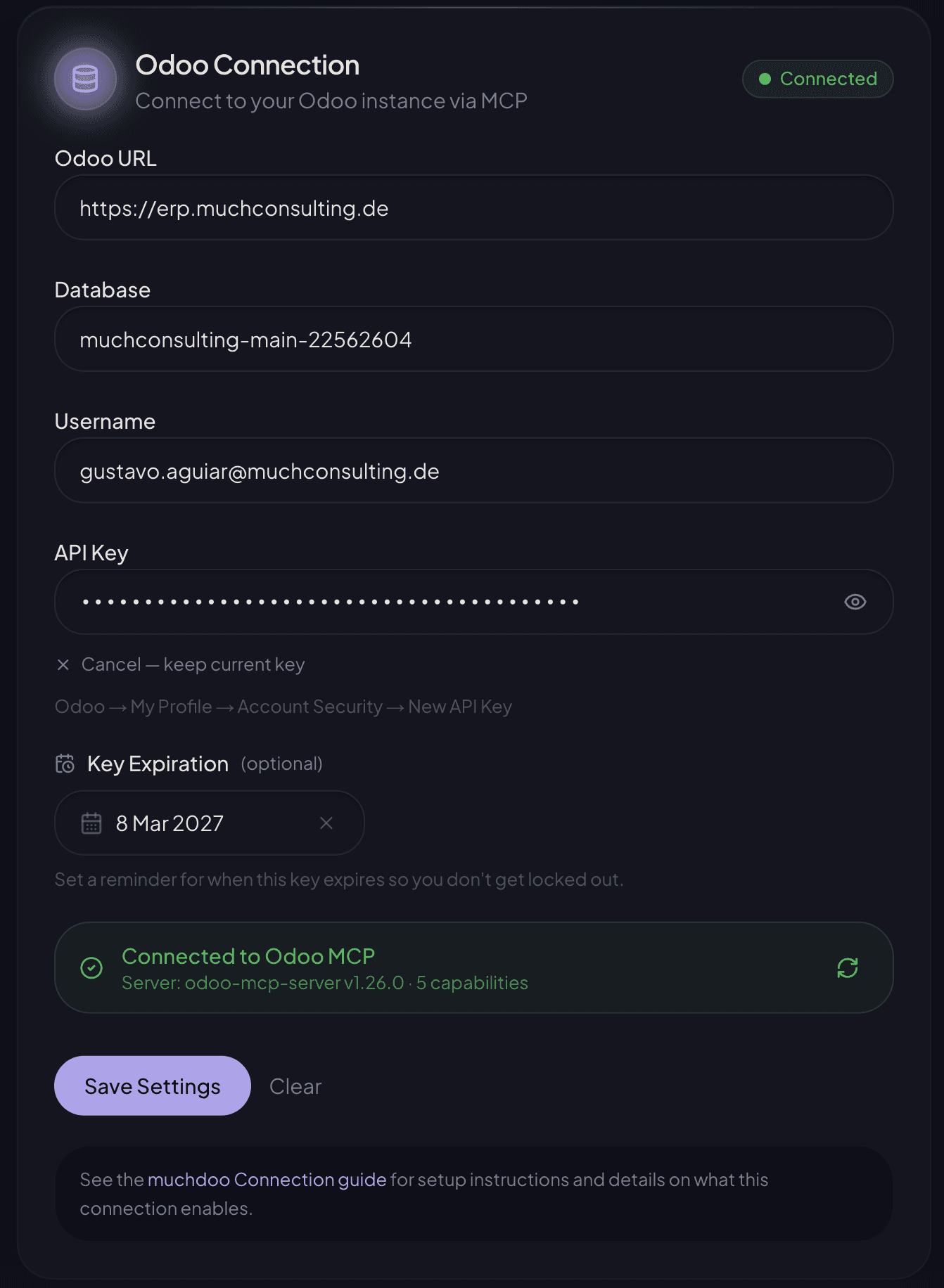
Then click Save Settings to persist the configuration. The connection details will collapse back to a compact view showing "API key configured" — this is normal, your key is saved.
What this enables
Once connected, Claudioo reads muchdoo data during your conversations — tickets and their status, timesheets, contacts, and project metadata. The data drives skills like:
| Skill | What it does |
|---|---|
/jf-prepare | Drafts Jour Fixe meeting notes |
/check-timesheets | Audits timesheets for billing quality |
/express-project-overview | Quick project health check |
/end-of-month | End-of-month controlling |
/shub-estimate | Support Hub ticket estimation |
See Pull project data from muchdoo for the full catalog.
Learn more
- Pull project data from muchdoo — When to use which muchdoo-powered skill
- Projects — Linking your Claudioo project to its muchdoo project