Project instances
How to configure Odoo.sh and Shoovels instances in your Claudioo project so the team can connect.
Tell Claudioo how to reach your project's live Odoo so every team member can connect via /remote-ops to check logs, query data, and debug issues.
Before you start
You'll need a project with the hosting type set (Odoo.sh or Shoovels) and at least one branch configured. You'll also need your own SSH key authorized — see Connect to Odoo instances.
Who should set this up?
Instance configuration is best done by your project's tech owner — they already know the build IDs, container names, and which branches map to which environments. Once it's done once, every project member can use /remote-ops against the configured instances.
Adding an instance
Go to Project Settings → Instances → Add Instance. Select a branch, give the instance a name, and choose whether it's production or staging.
Then fill in the connection details for your hosting platform:
Open your instance in the Shoovels dashboard. You'll find the SSH Connection string in the Instance Details section — click the copy button next to it.
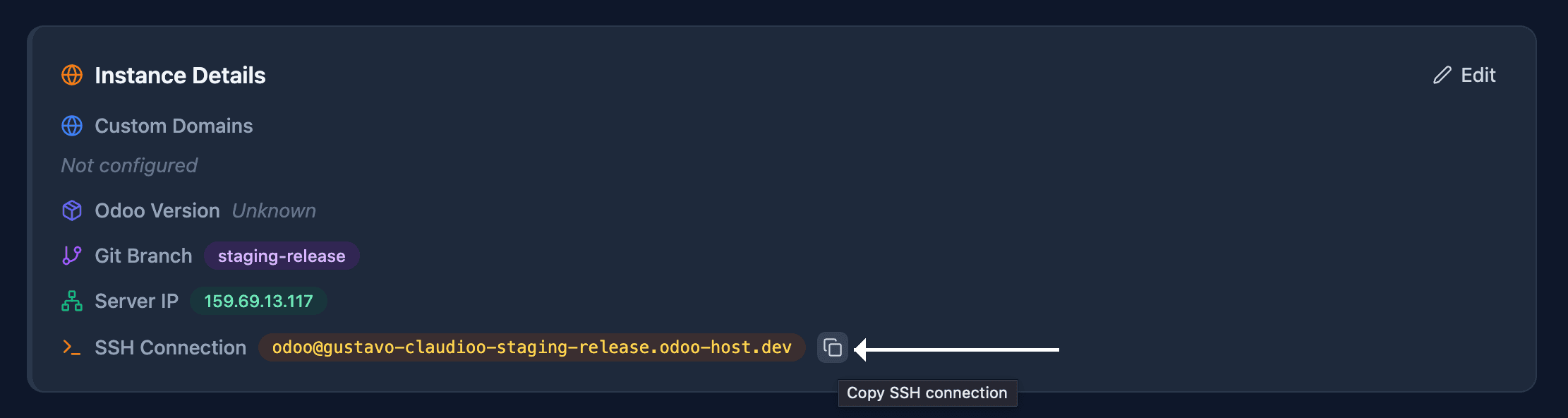
Paste the connection string into Claudioo's Edit Instance form. Claudioo will also suggest the Docker container name automatically based on your project name and branch.
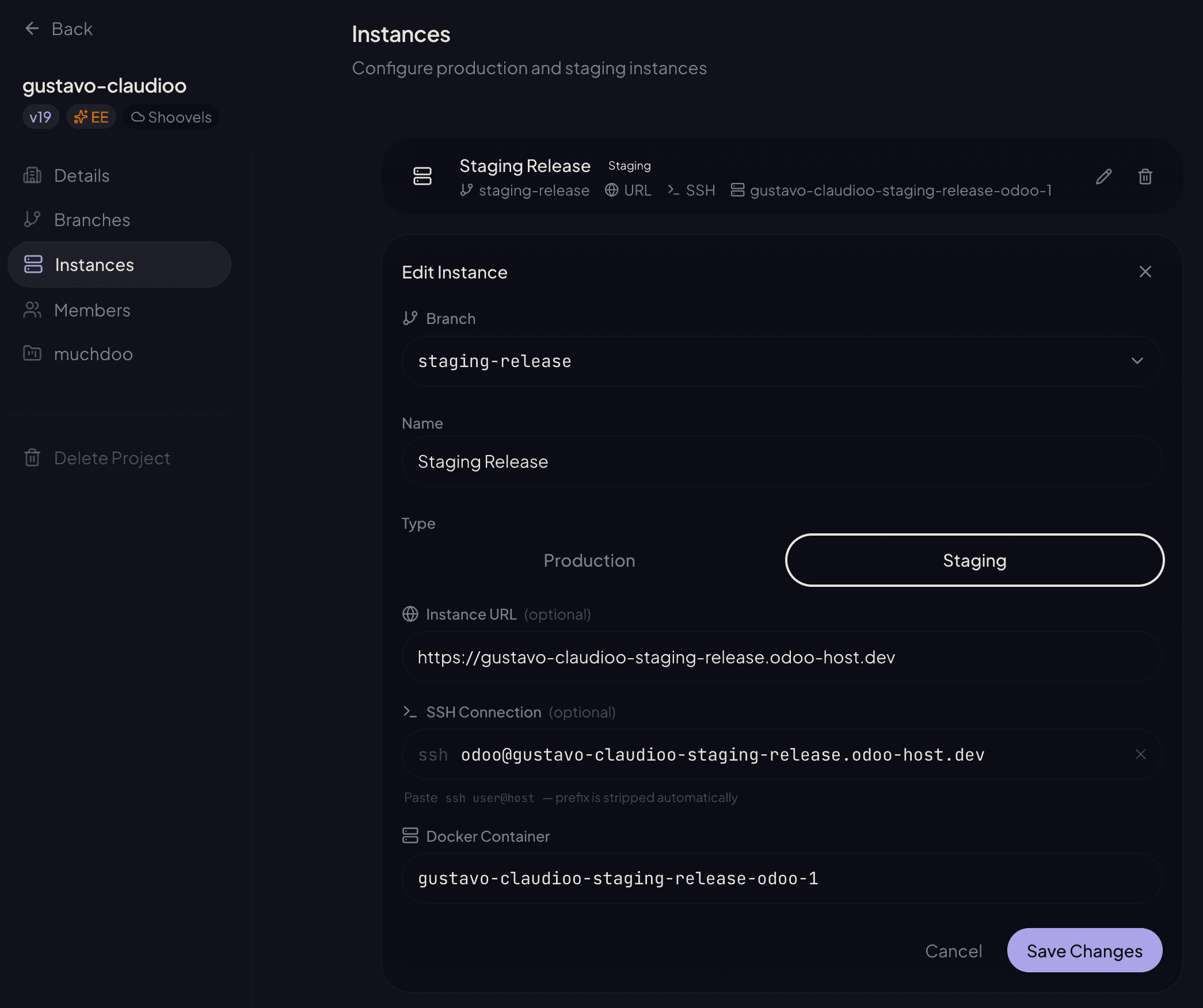
Shoovels connection strings are stable — no build ID rotation to worry about.
Container name not right?
The suggested name follows the convention project-environment-odoo-1. If it doesn't match your instance, ask in #dev-ops-questions.
Navigate to your branch in the Odoo.sh dashboard, then open the SSH tab. Copy the entire ssh … command shown there — Claudioo will parse it. The command looks like:
ssh <build_id>@<project>-<branch>-<build_id>.dev.odoo.comPaste this into the SSH Connection field. Claudioo strips the ssh prefix automatically.

If a connection stops working
Odoo.sh staging builds get a new ID every time the branch is redeployed, which changes the SSH connection string. Ask your project's tech owner to refresh it in Instance settings.
What's next
Once your instance is configured, all project members can use /remote-ops to connect to it — check logs, query data, explore deployed code, and debug issues.